
Know-how
Changelog updates in 2023
Version 1.0 · Published 2023-11-06
The Unless team shares what they worked on in 2023 so you can stay up to date on all new features, improvements, and fixes.
December 18, 2023
- Conversation details pages now show responses in markdown so if the response originally contained bullet points, they will appear as such, URLs will be clickable, etc.
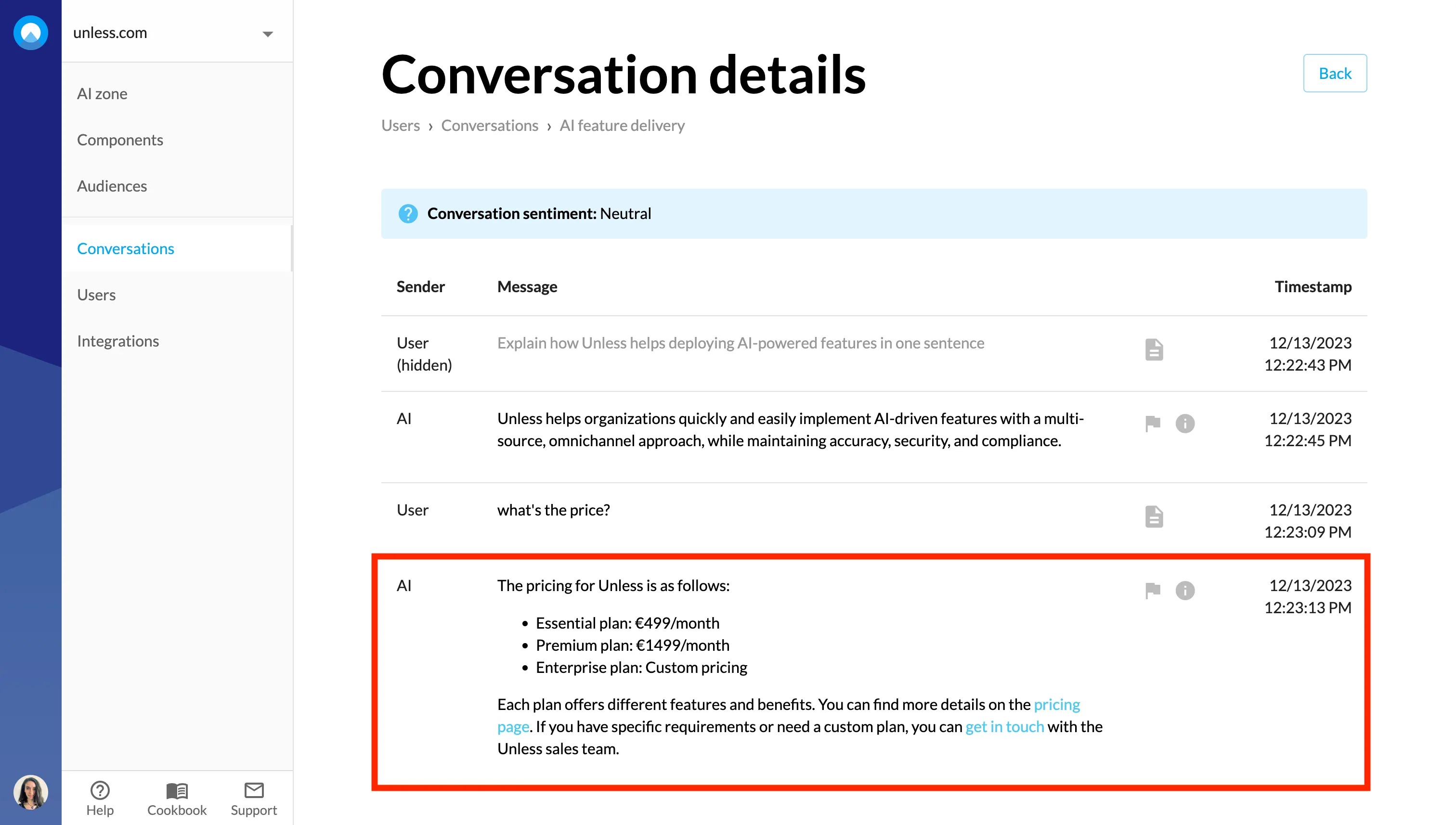
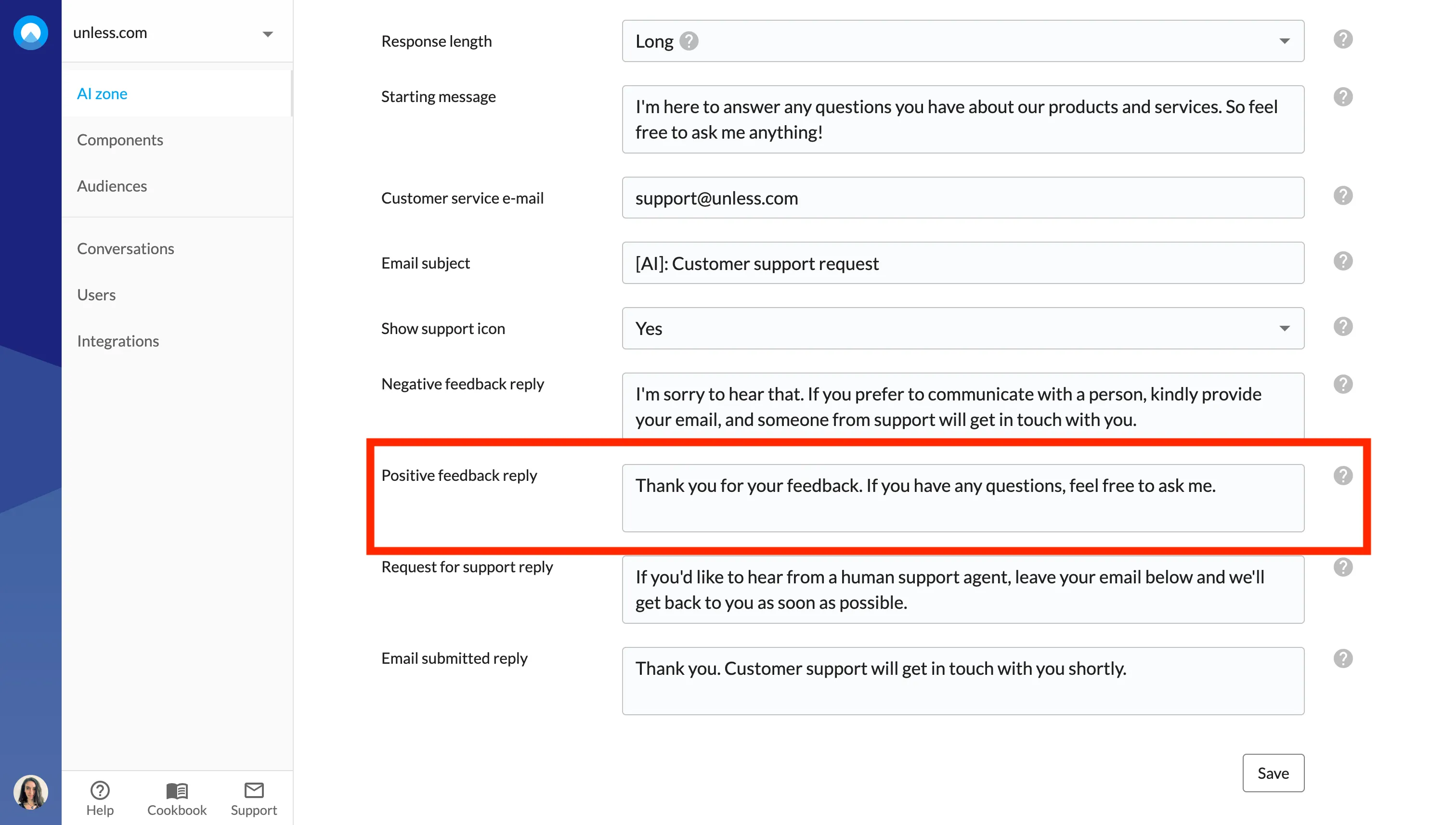
- 👍 You can now add a reply for when a user gives positive feedback to the answer provided by the AI.
- ⚙️ Confluence integration: It is now possible to directly pull documents from Confluence and use them as training material for your AI.
- We’ve renamed the Websites tab to Environments. Many customers are using Unless in their CRMs, support environments, etc. so we wanted to make it clearer in the dashboard. Your website is an environment but you can use the Unless AI in other environments too.
- Conversations are now readily accessible from the menu on the left.
- Fixed some bugs and improved the UI.
December 11, 2023
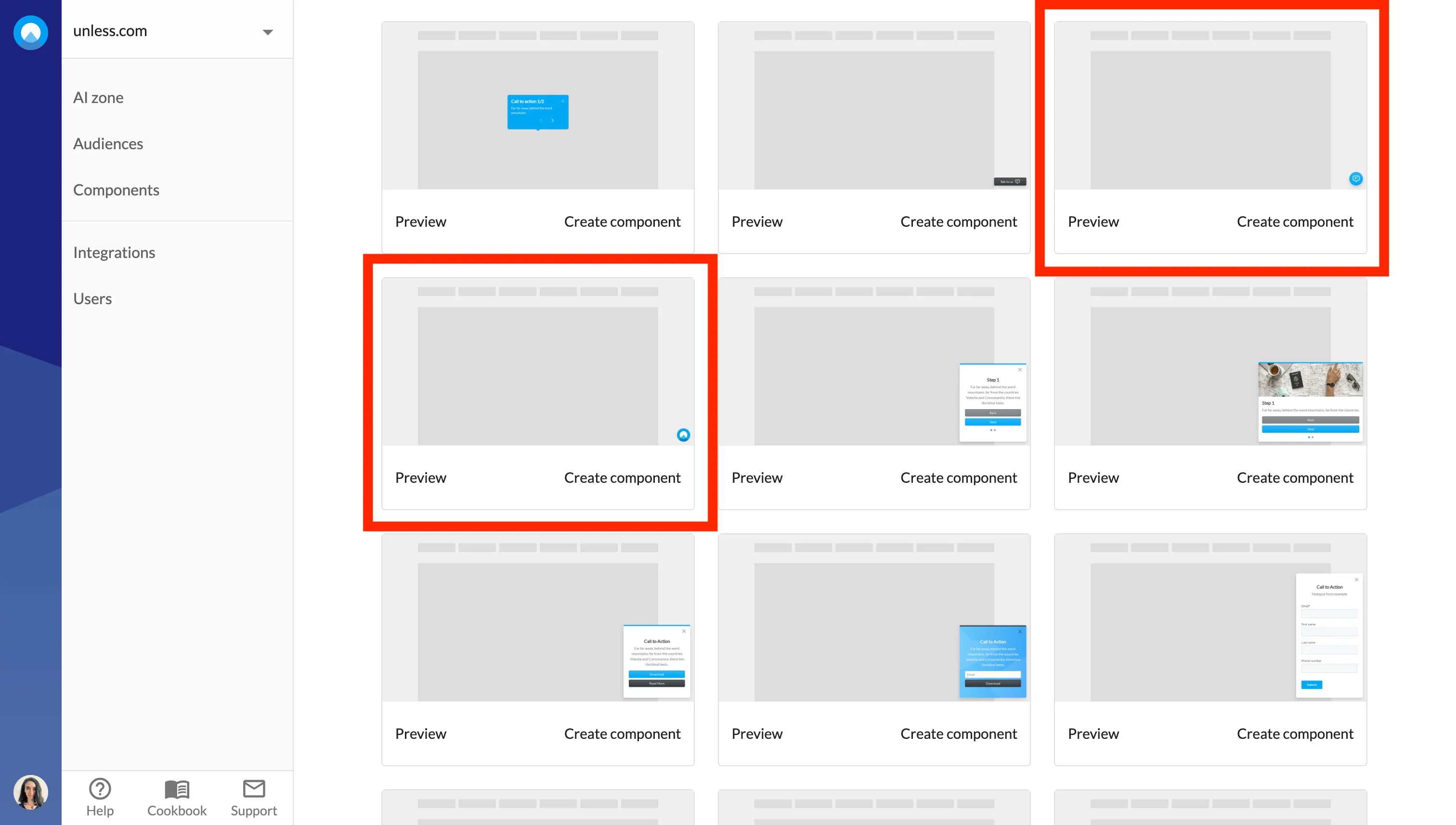
- We’ve added new AI chat button templates which are highlighted in the screenshot below. Using these templates opens up more editing capabilities such as setting an icon, adjusting the color and size, etc.
- Fixed some bugs and improved the availability of the AI as well.
December 4, 2023
- 🌟 The AI now responds 30% faster and handles follow-up questions better.
- 📚 You can now see exactly which pages/content was ingested from a training source. This helps you see which content was discovered using your sitemap, or which articles were retrieved by an integration.
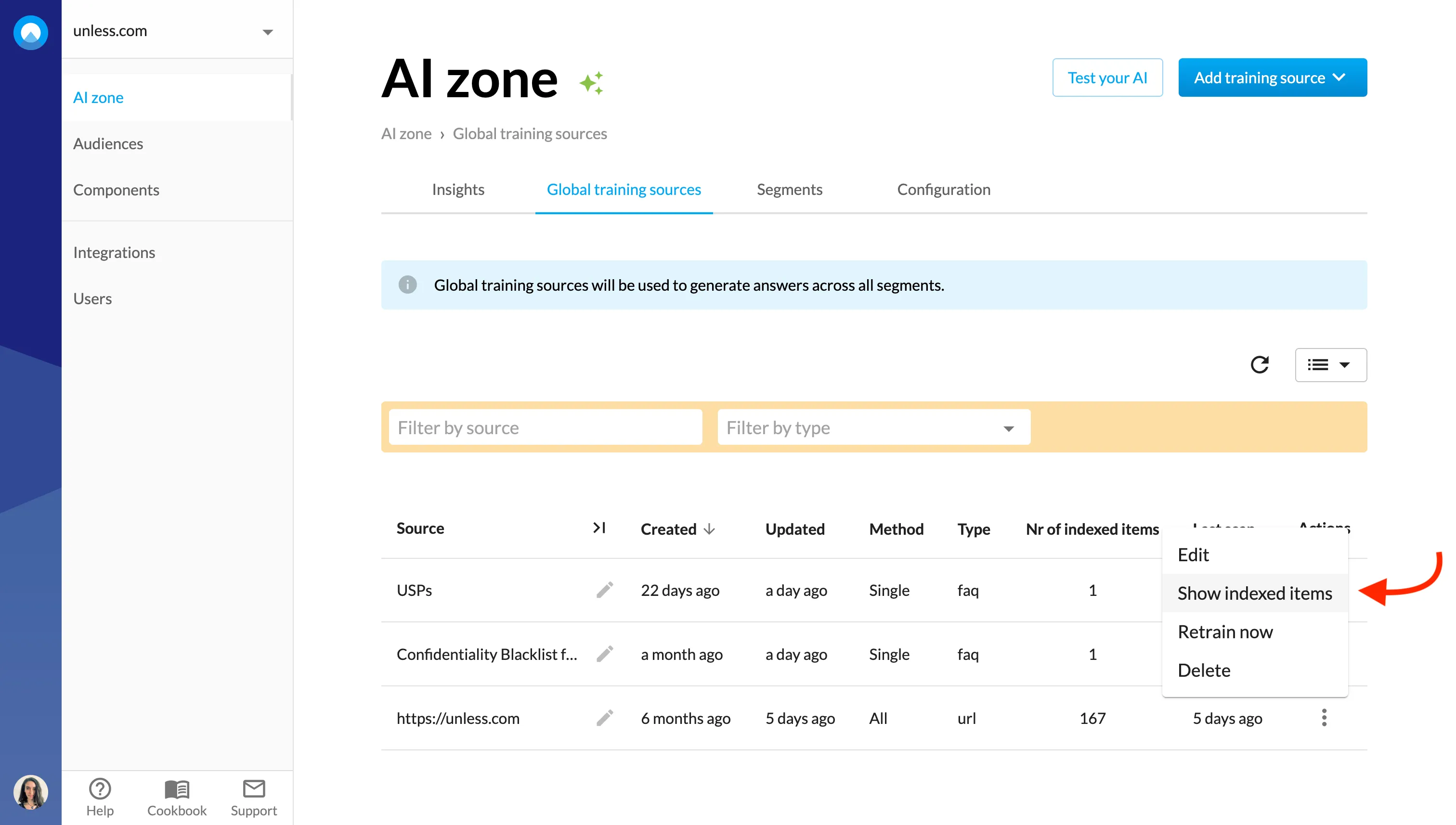
- You can click on each listed item to see the exact content that was ingested in Unless, helping you debug any problems.
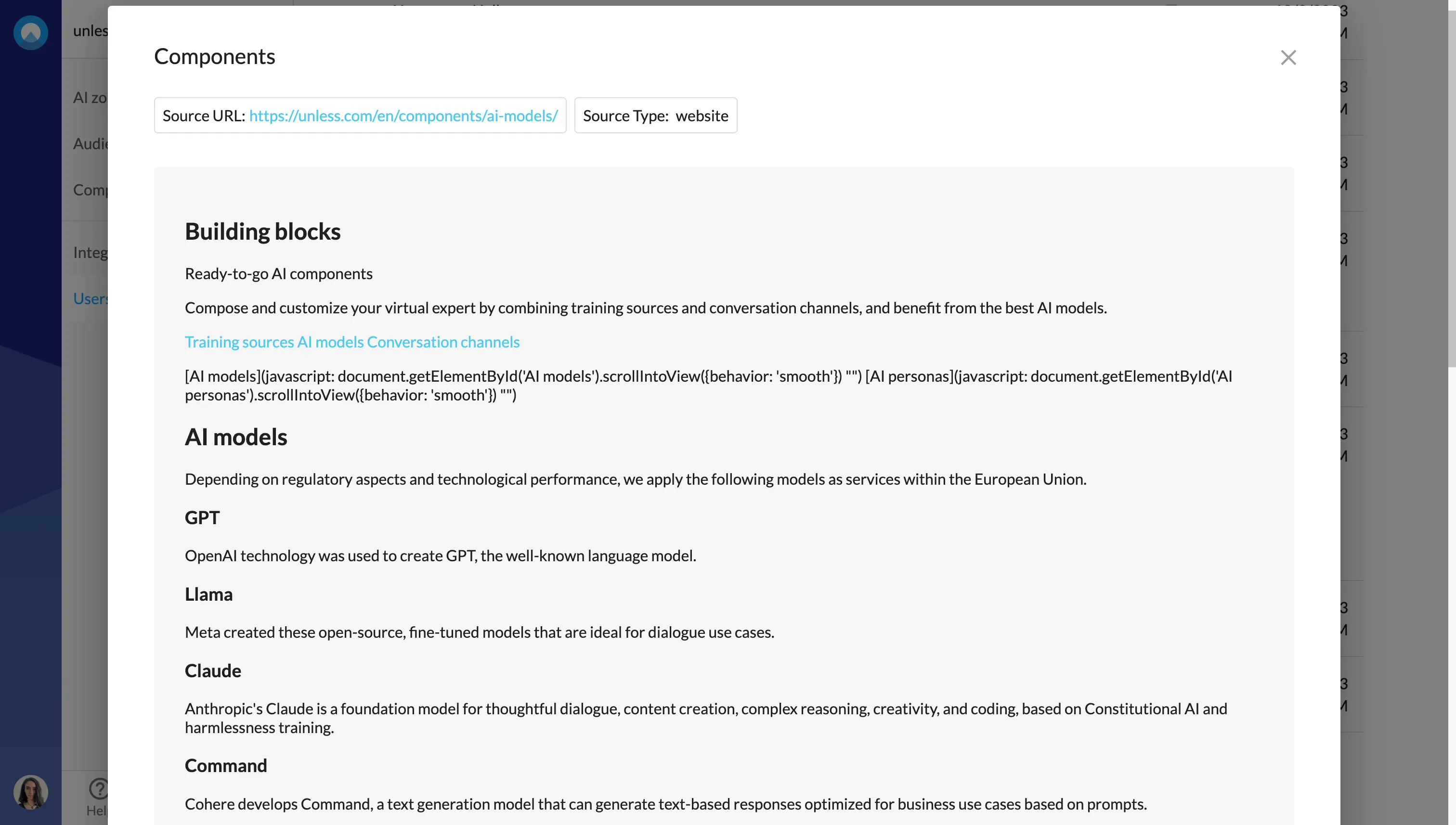
- 📋 Additionally, now when viewing conversation details, you can click to see the sources and click again to view the exact content that was used to generate each answer!
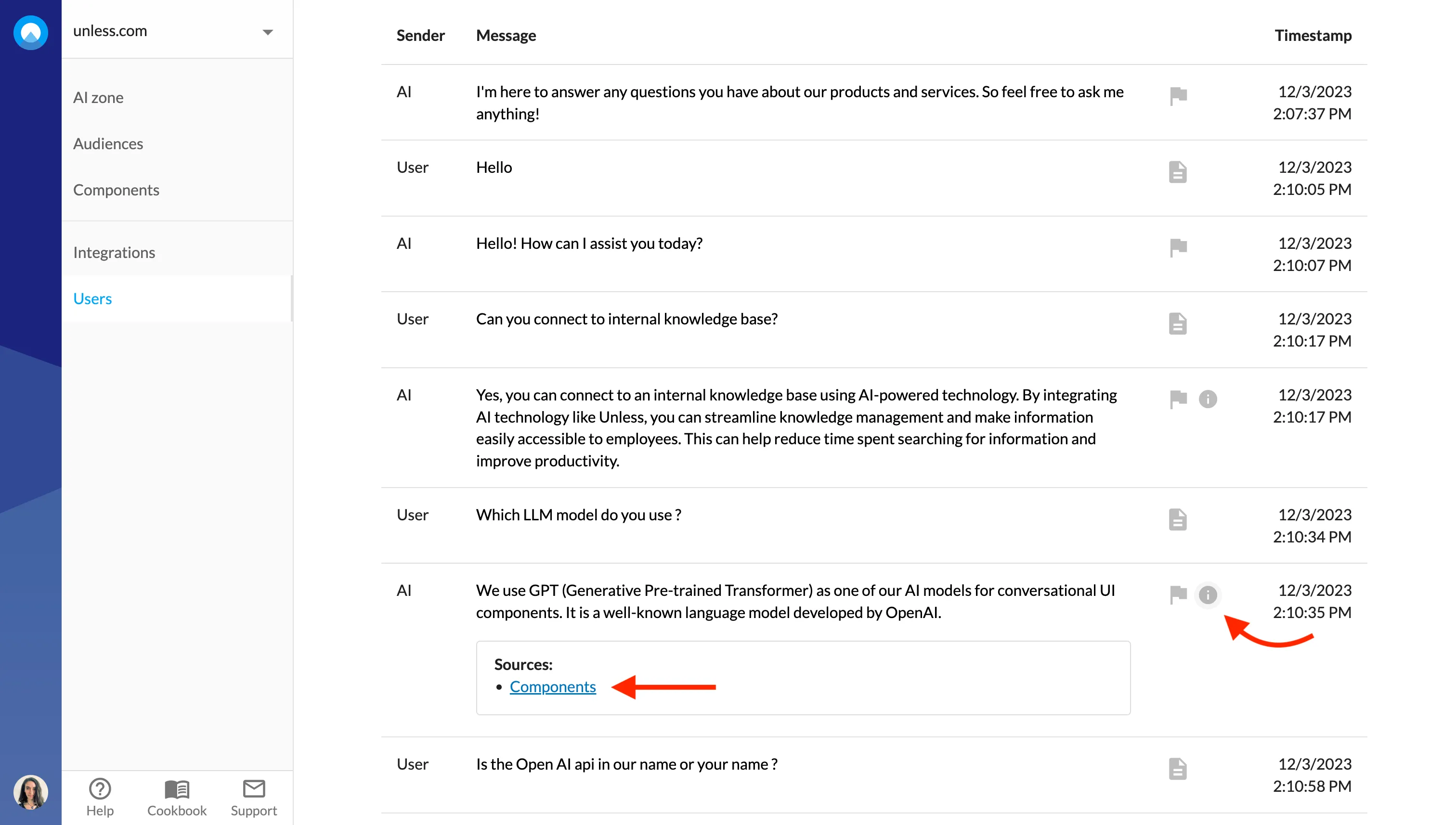
- ℹ️ The sources list (that can be viewed for each answer) is now much more accurate and will show exactly which sources were used in the answer.
- 👍 The thumbs up and down icons (and the sources) are made more visible and appear below the response to increase usage.
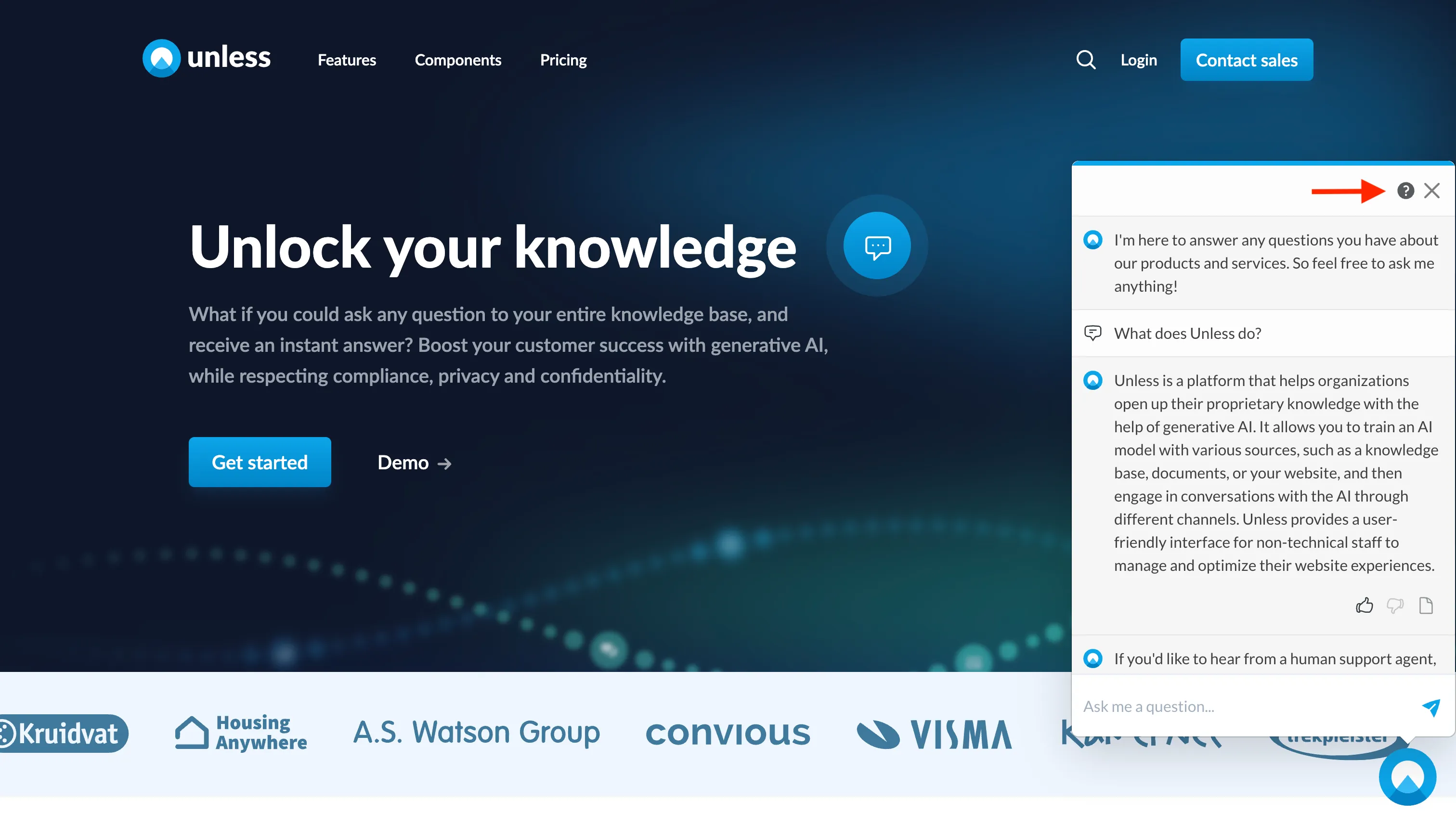
- 📞 An (optional) support button is added with a new support flow in the top-right corner of the chat. You can set this up via the Configuration tab.
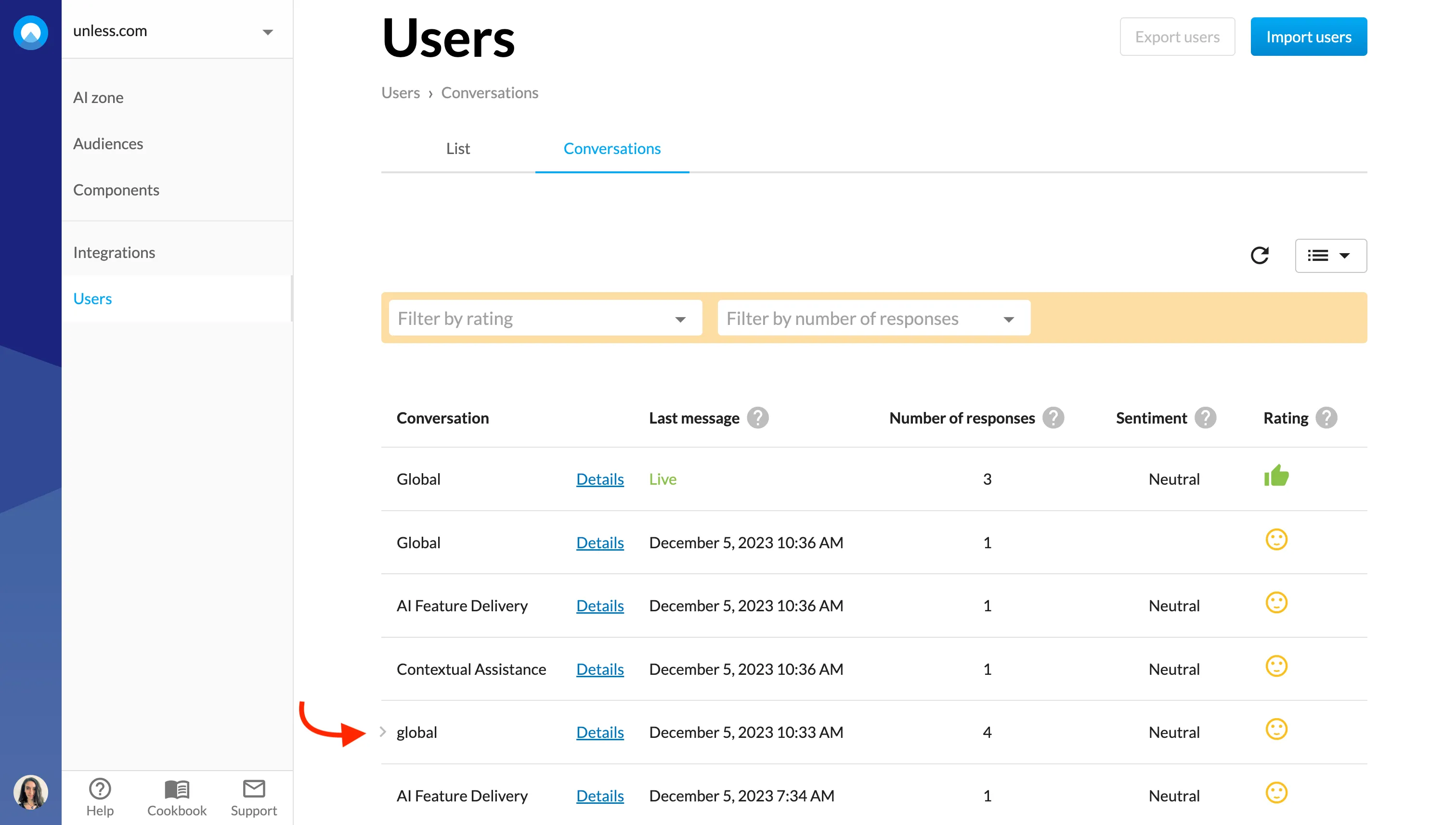
- 📌 We’ve added an indicator to highlight the last conversation you opened to make it easier to know where you left off while browsing across conversations.
November 20, 2023
- The subject line for emails delivered to your specified customer service email is now customizable via the Configuration tab of the AI zone.
- You can now adjust the website names listed at the top right corner.
- Added article visibility properties to the Salesforce integration such as include/exclude options.
- We’ve made some changes to make the input field in the chat clearer.
Language detection
- We now store the determined language of each message and answer which should make it easier to identify outliers and errors.
- Additionally, you can add a fallback language for cases where the language cannot be confidently determined. You can do this via the Configuration tab of the AI zone.
Fixes
- The chat no longer crashes in the case of an empty message.
November 13, 2023
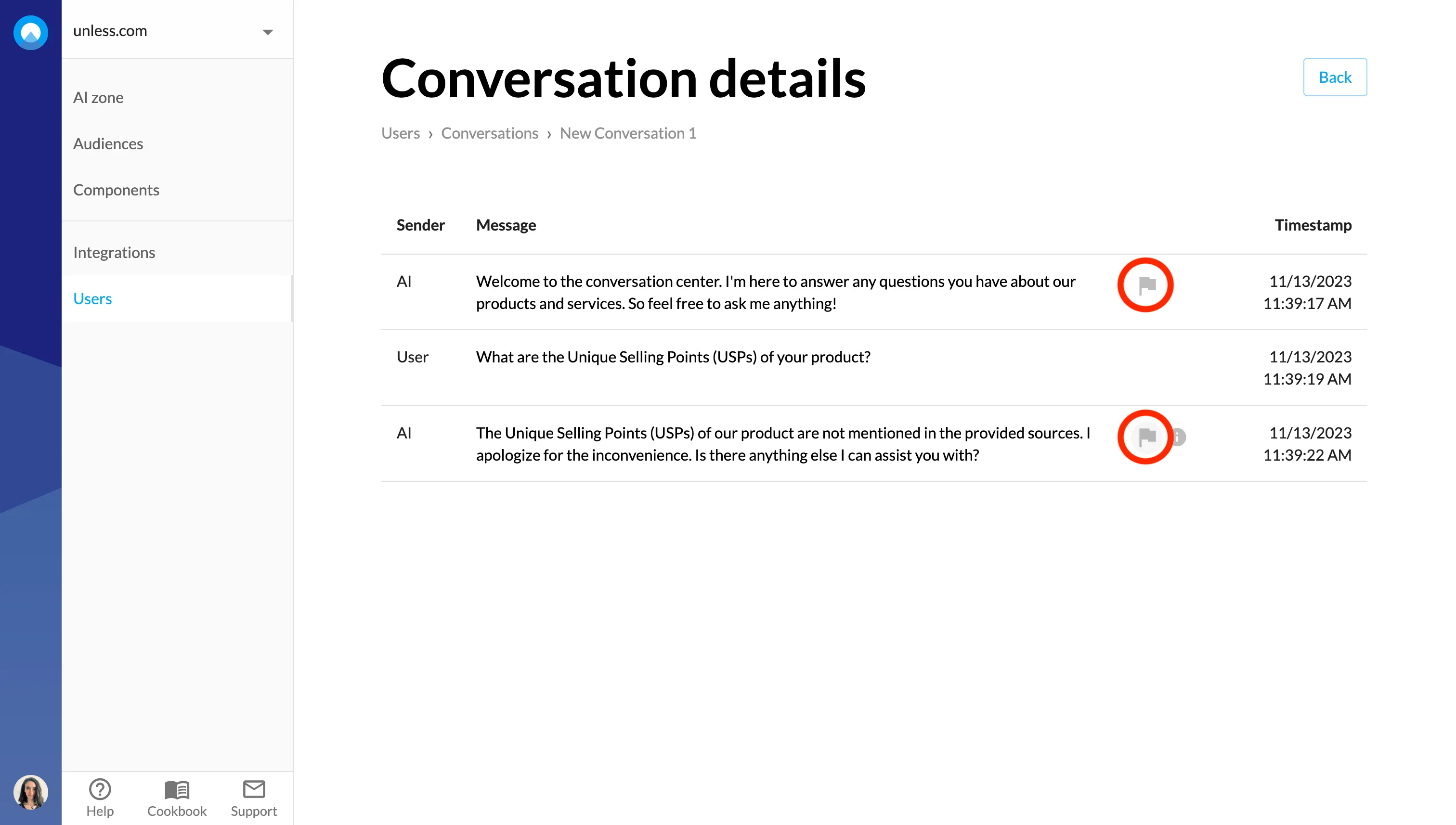
- In Conversation detail pages, you can now flag a response to report an issue to our team. It is also possible to provide additional context here in terms of what happened and what you would expect to happen so we can address the issue accordingly.
- If you have multiple AI segments, you can ask the end-users to self-segment at the start of a conversation.
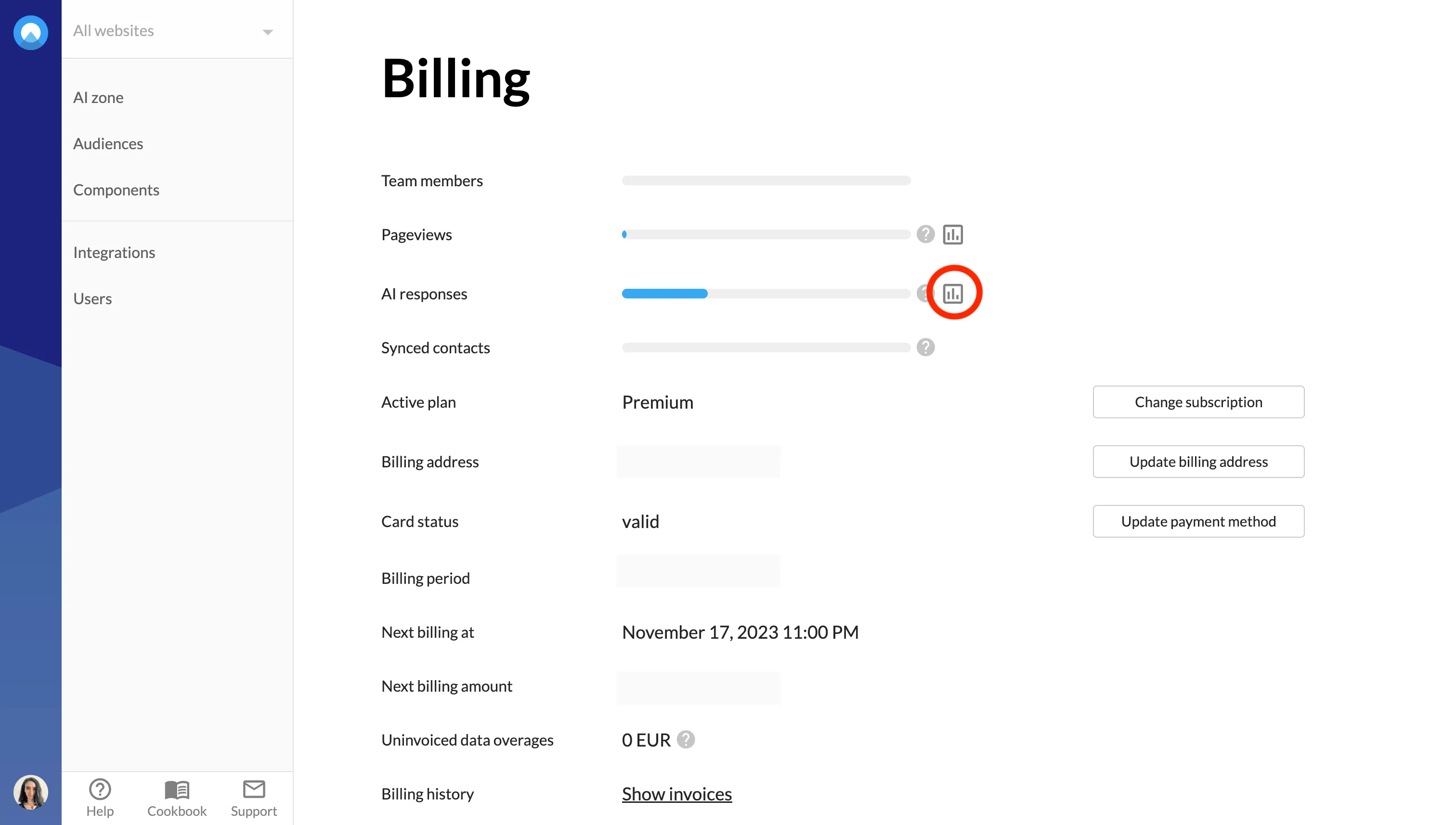
- In the Billing section, we added graphs to make it easier for you to review the use of AI responses over time.
- We added breadcrumbs to our dashboard pages to make navigation easier.
- You can now exclude an article ID when using the Zendesk integration.
November 6, 2023
- 🎉 Changelog: From now on we will use this page to share what we are working on so you can stay up to date on all new features, improvements, and fixes.
- ⚙️ Zenya integration: It is now possible to directly pull documents from Zenya and use them as training material for your AI.
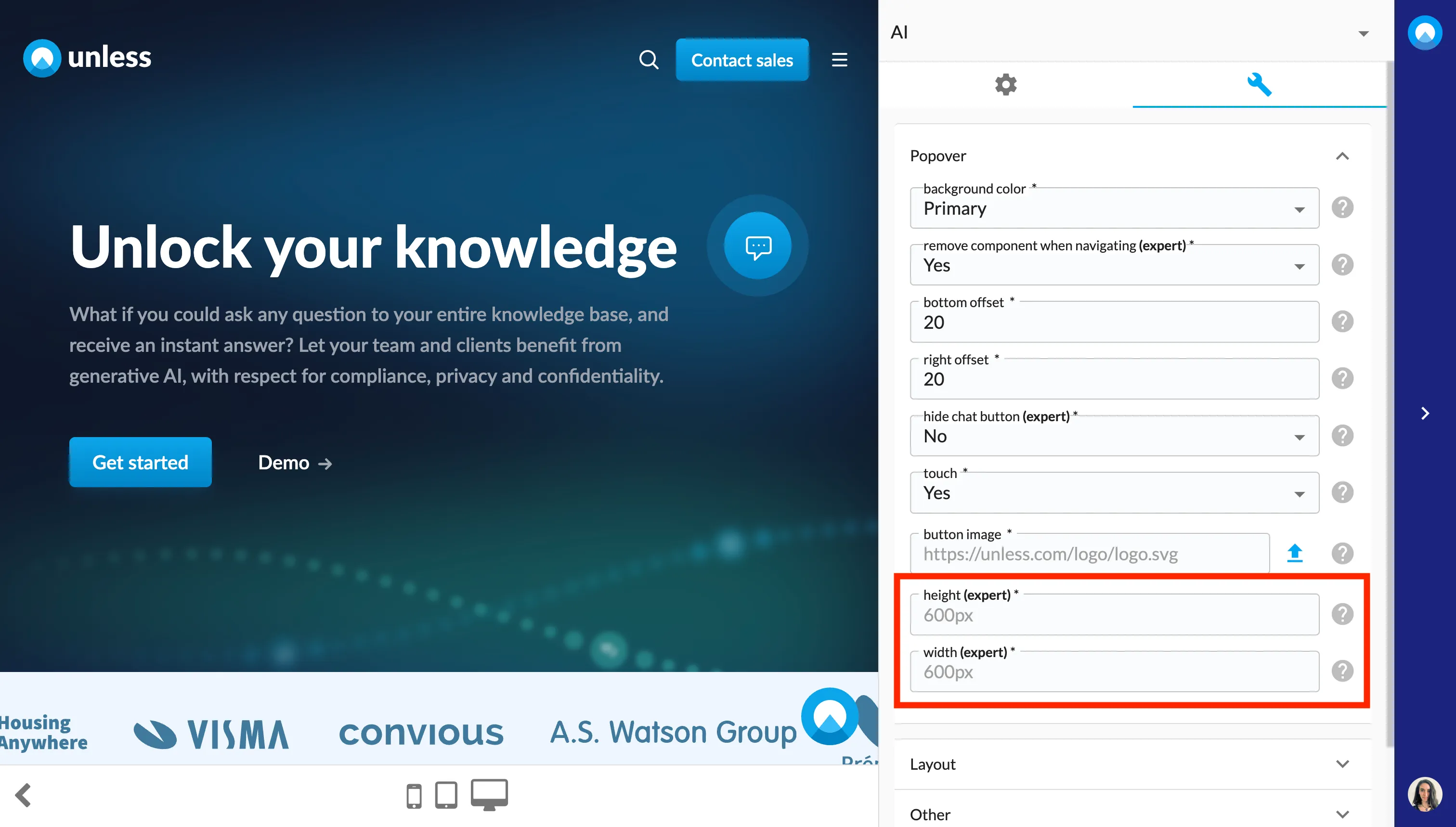
- The height and width of the AI chat pop-up is now adjustable via advanced settings in the editor.
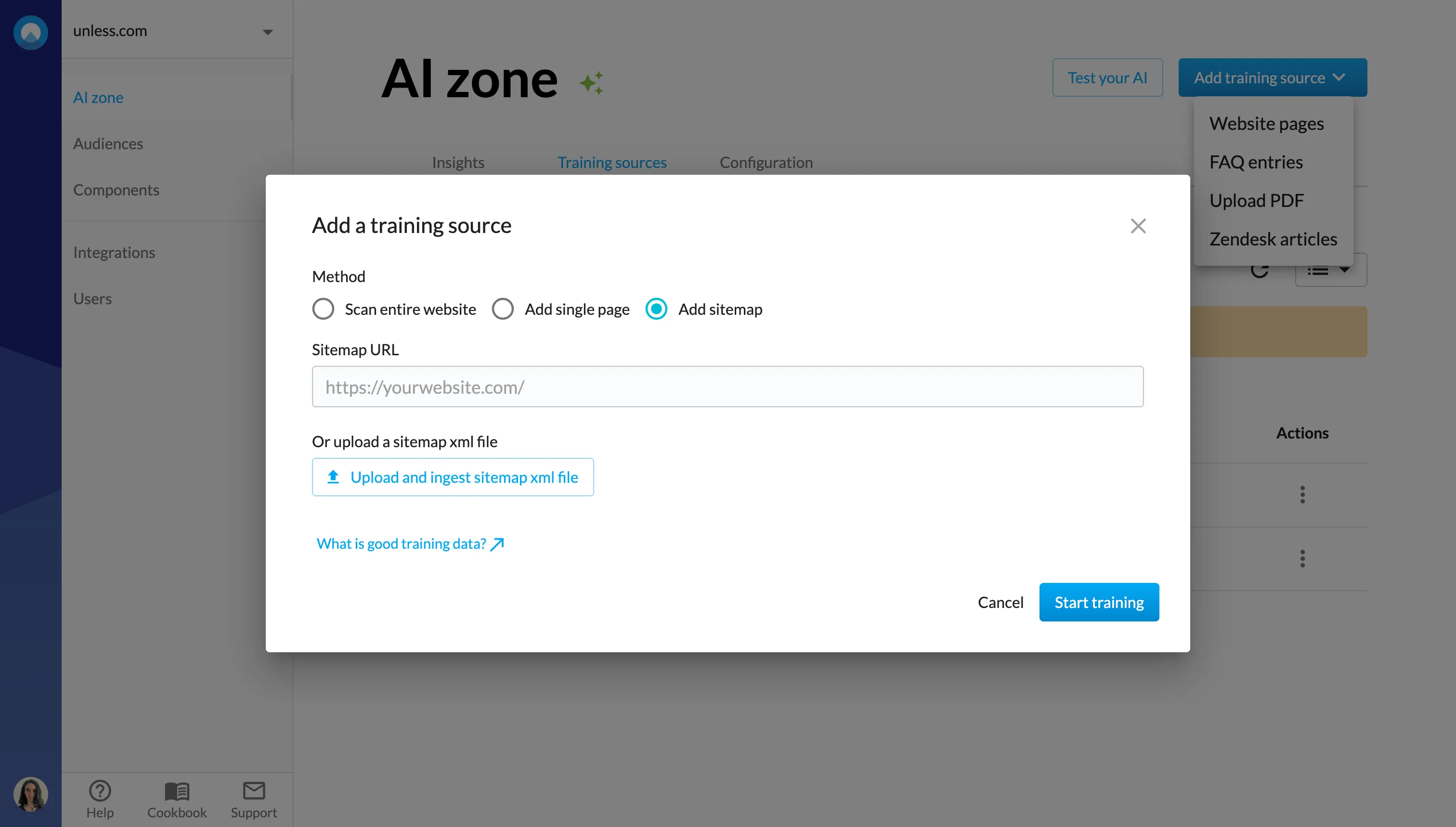
- You can now add your sitemap as a training source using a URL or by uploading a sitemap xml file.
October 30, 2023
- It is now possible to rename your training sources, making it easier to browse and find what you’re looking for.
- Zendesk multibrand is now supported.
- We can now ingest tickets from Zendesk.
- Subcategories can now be fecthed with the Salesforce integration.
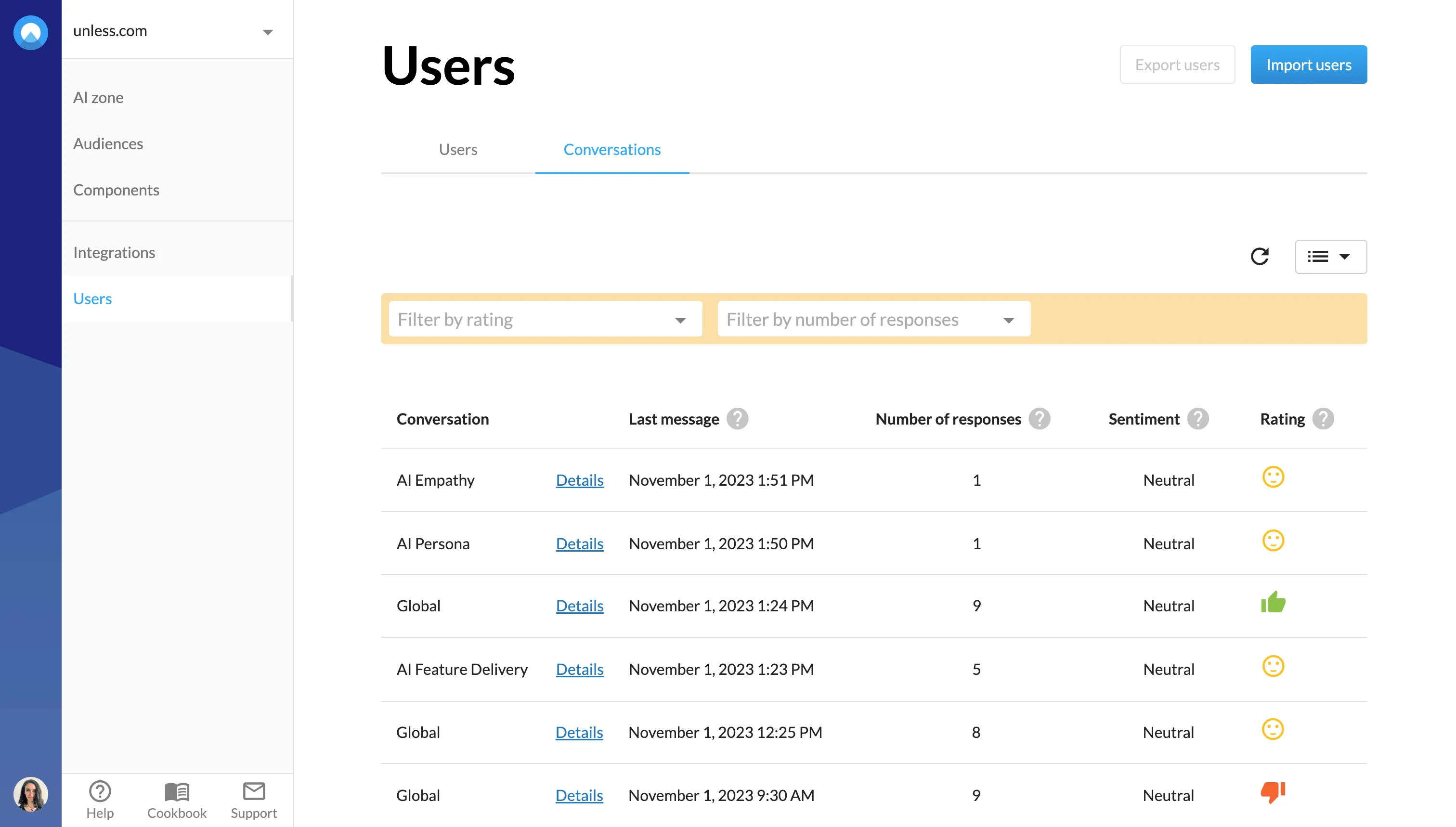
- Conversation sentiment was calculated based on sentiment analysis of the questions and the ratio of positive and negative responses from the user. This is now split so you see the sentiment and rating separately.
 Fixes
Fixes - When reviewing conversations, if you were going between the list view and the detail pages, your filters would reset each time. This is now fixed.
- The configuration wasn’t loading when switching websites.